Cybersecurity & Risk Management
How to prep your small business for holiday cyber scams
Holiday-season cyber scams are scaling with AI and automation: here's a practical checklist for small businesses to stay ahead.

The stretch from Thanksgiving to January 1st is the busiest, most distracted time of the year for most offices, and fraud operations plan around exactly that. This is what the five most common holiday scams look like, and the five things worth doing about them before the first fake delivery text lands.
Why the holiday season is a high-risk time
The end of the year is frantic for everyone. Shopping lists, travel plans, and year-end deadlines all land at once. That distraction is what cybercriminals count on.
Fraud operations are also starting earlier every year, using generative AI to make fake emails, ads, and storefronts look convincing. The threat is universal. It touches personal shopping and professional email alike. Being busy shouldn’t mean being vulnerable.
The five most common holiday scams
1. Fake “too good to be true” deals and phony stores
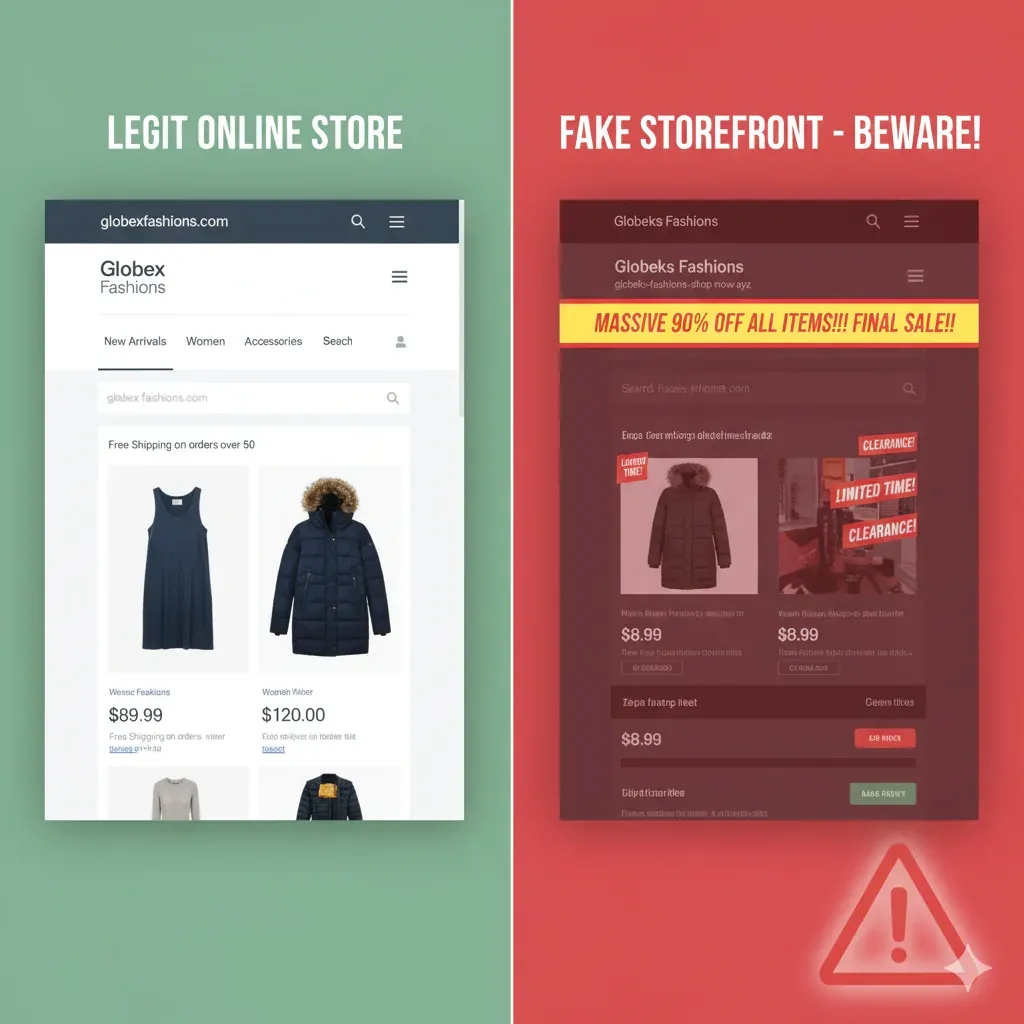
If you see a 90% discount on a popular item, your alarm should go off. Scammers build slick but fake retail sites and ads that copy big-brand logos. Once you enter your payment details, they have your money and your card number.
What you should do:
- Verify the URL. Before clicking a link in an email or a social media ad, hover over it (or press and hold on mobile) to see the full address. It should match the brand exactly.
- Buy direct. If a deal looks amazing, type the retailer’s address yourself and search for the deal there.
- Use buyer protection. A credit card or a protected payment service offers better fraud recovery than a debit card.
2. Password reuse and account takeover
Do you use the same password for your streaming account, your shopping account, and your work email? If a shopping site is breached, those stolen credentials get replayed against every other account you own, including work systems.
What you should do:
- Enable multi-factor authentication. This is the single highest-value step. Use MFA on email, banking, shopping, and work systems. It stops a thief who already has your password.
- Use a password manager. A tool like 1Password creates and stores a unique password for every site.
- Keep work and home separate. Never use a work email address or work password for personal shopping.
3. Delivery fee phishing and smishing
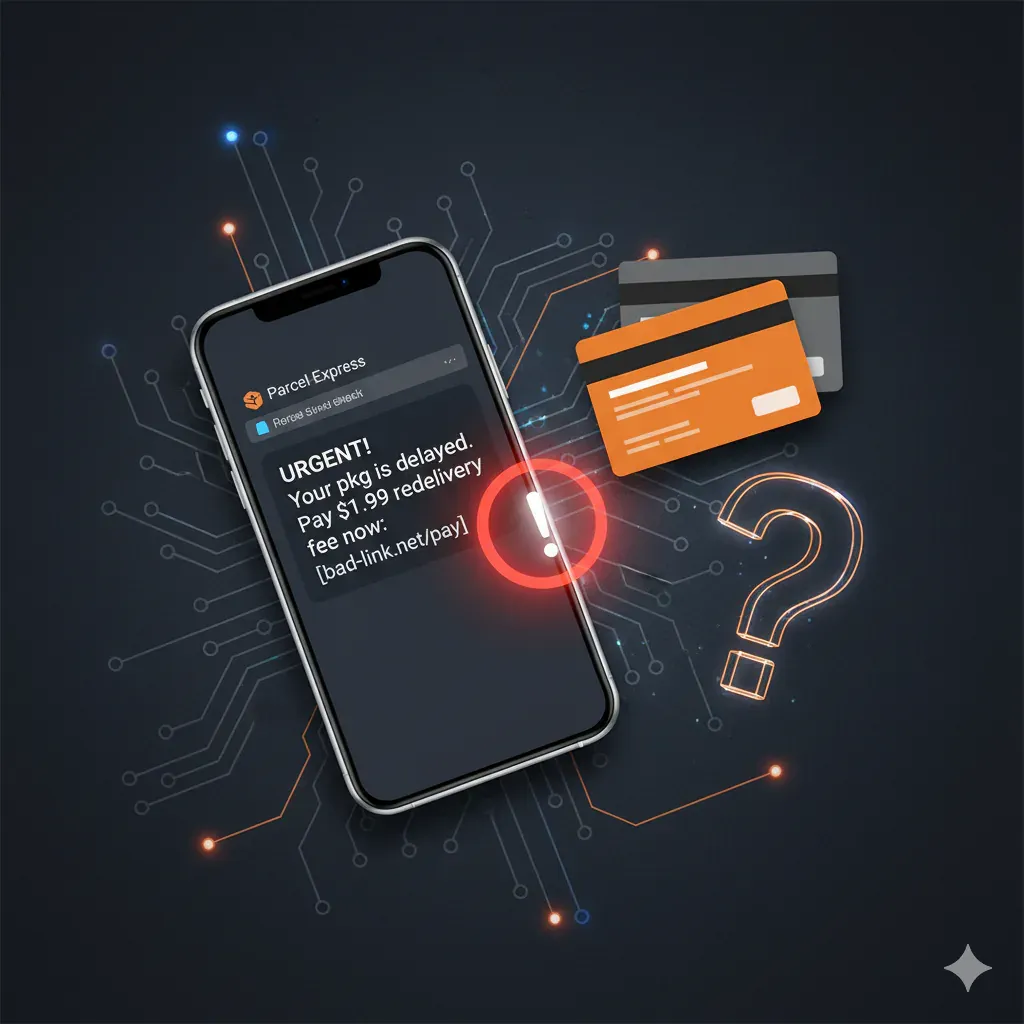
The package is delayed. Or is it? Scammers exploit the volume of holiday shipments with urgent texts and emails claiming a delivery failed, or that a small redelivery fee is owed.
What you should do:
- Don’t click unexpected links. Never open a tracking link in a message you didn’t specifically ask for.
- Check independently. Go to the carrier’s own site and enter the tracking number you already have.
4. Gift card and urgent payment scams
Gift cards are effectively cash, and criminals know it. The common version is an email that looks like it came from a manager, a client, or a friend, asking you to buy gift cards immediately to cover an urgent expense, issue a refund, or pick up last-minute gifts for the office.
What you should do:
- Never pay with gift cards. No legitimate business, bank, or government agency demands payment in gift cards or cryptocurrency.
- Verify the request. Call the person on a number you already have and confirm before you buy anything. Don’t reply to the email.
5. Early attacks and general distraction
Fraudsters aren’t waiting for Black Friday. Campaigns are being tested and launched now. The season simply compounds the everyday distraction that makes people click things they shouldn’t.
What you should do:
- Slow down. A moment of caution before clicking is worth days of cleanup avoided.
- Check your devices. Make sure endpoint protection on the home computer and the work laptop is current and actually running.
Quick-action checklist for a safer season
- MFA everywhere. Email, bank accounts, and primary social media at minimum.
- Unique passwords. Stop reusing them. Start using a password manager today.
- No shopping on work devices. Personal shopping on the corporate network introduces risk into your employer’s systems.
- Verify links. Hover before clicking. Look for misspellings and odd domains in sender addresses.
- Update everything. Phone, computer, and applications, with the latest security patches installed.
A little preparation now means spending the holidays relaxing rather than unwinding a compromised account.